
Proxy traffic saving
For situations where you want to save connection or proxy traffic, Dolphin{anty} has a feature to disable image loading in browser profiles
⚙️ How does it work?
- If you disable image uploading, the setting applies to all profiles created or to be created in the future
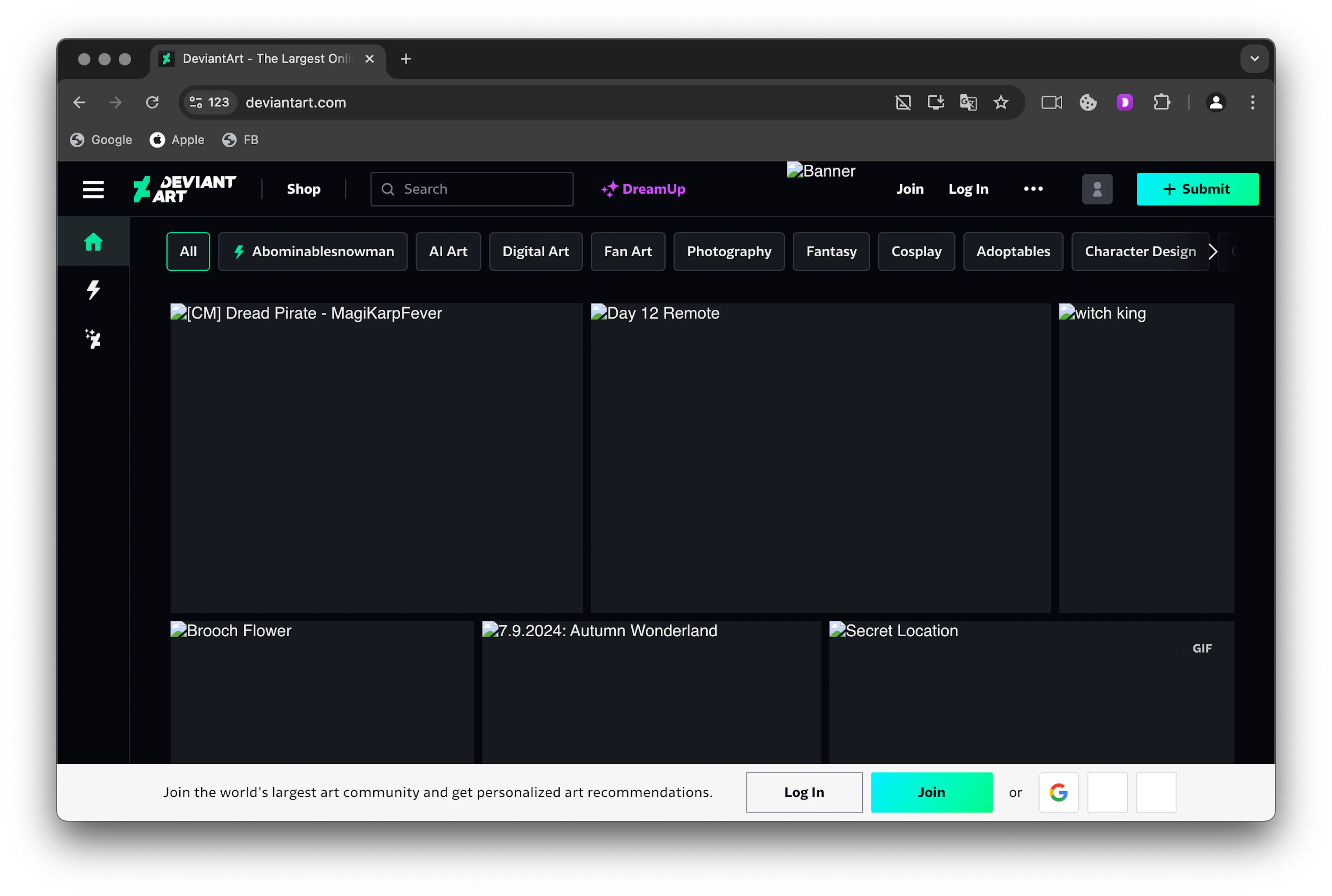
- Page display is preserved, but instead of images, empty containers or alternative text (if provided by the site) will be shown.
- The change will affect all browser profiles in the team.
👀 What does it look like?
🪄 How do you turn it on and off ?
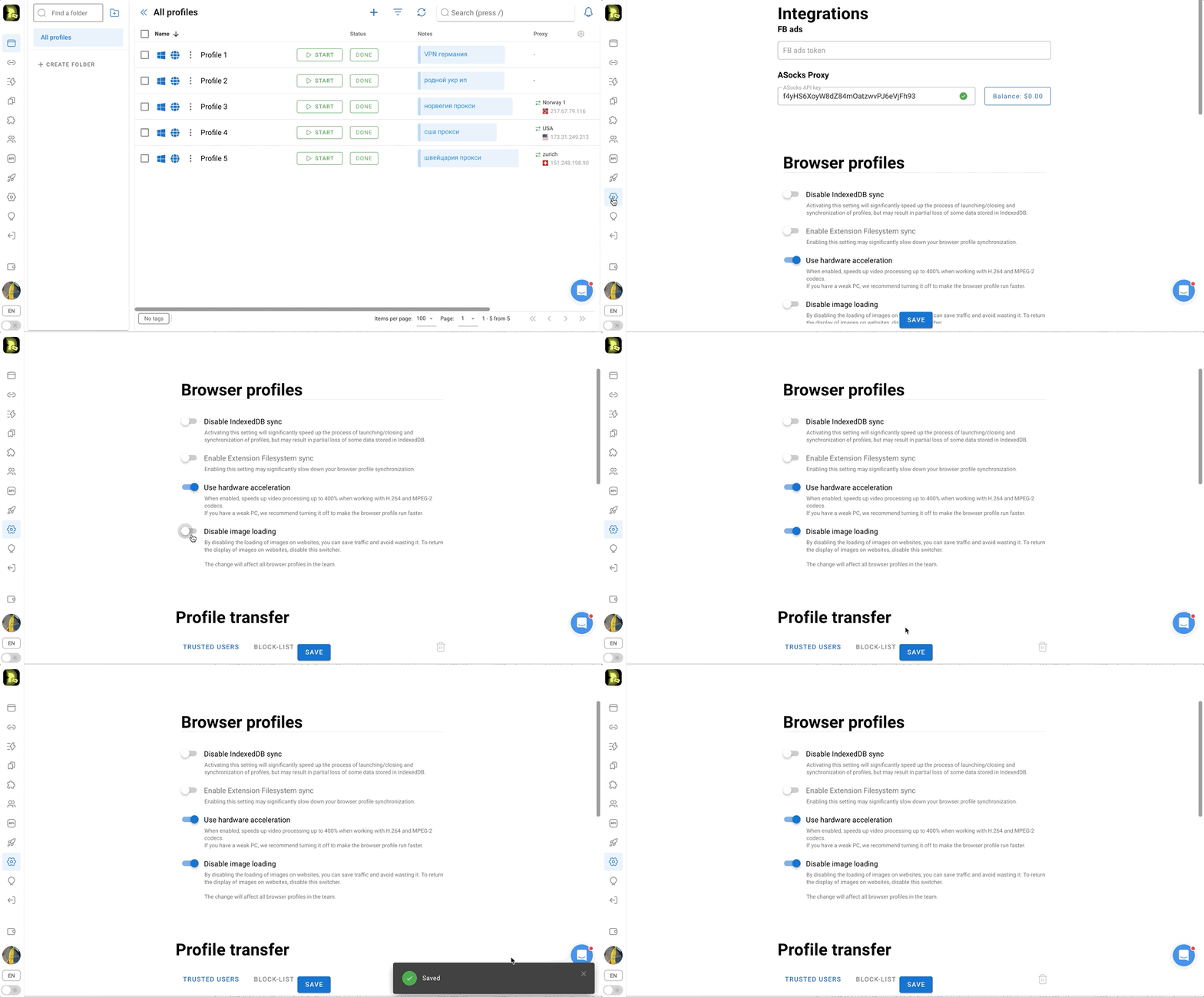
- Go to “Settings” through the left menu of the application
- Set the slider to on or off in the “Disable image loading” item
Was this page helpful?