
How to add bookmarks in Dolphin {anty}
🔖 What are Bookmarks for?
In Dolphin{Anty}, you can create bookmarks for all browser profiles or only for profiles of a specific type, such as Facebook, Google, TikTok, and others.
The process is similar to adding extensions ⬇️.
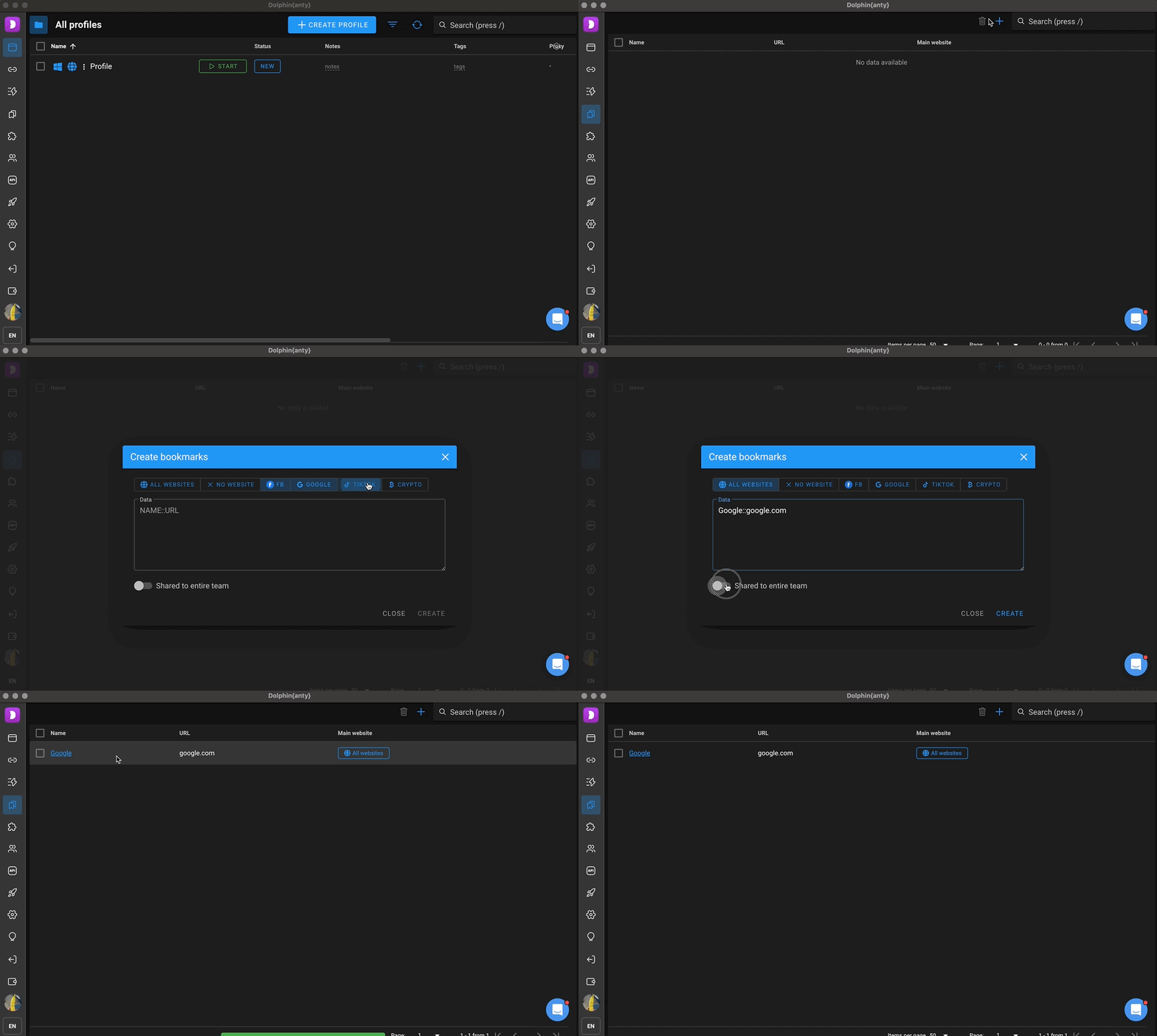
- Go to the "Bookmarks" section in the left menu of the browser.
- Click the "+" button in the top right corner next to the search field.
- A bookmark dialog will appear:
In this window, you can choose which profile types the bookmarks will be added to, set up shared access for your team, and enter the bookmark name and link in the formatNAME::LINK.
For example:
Google::google.com
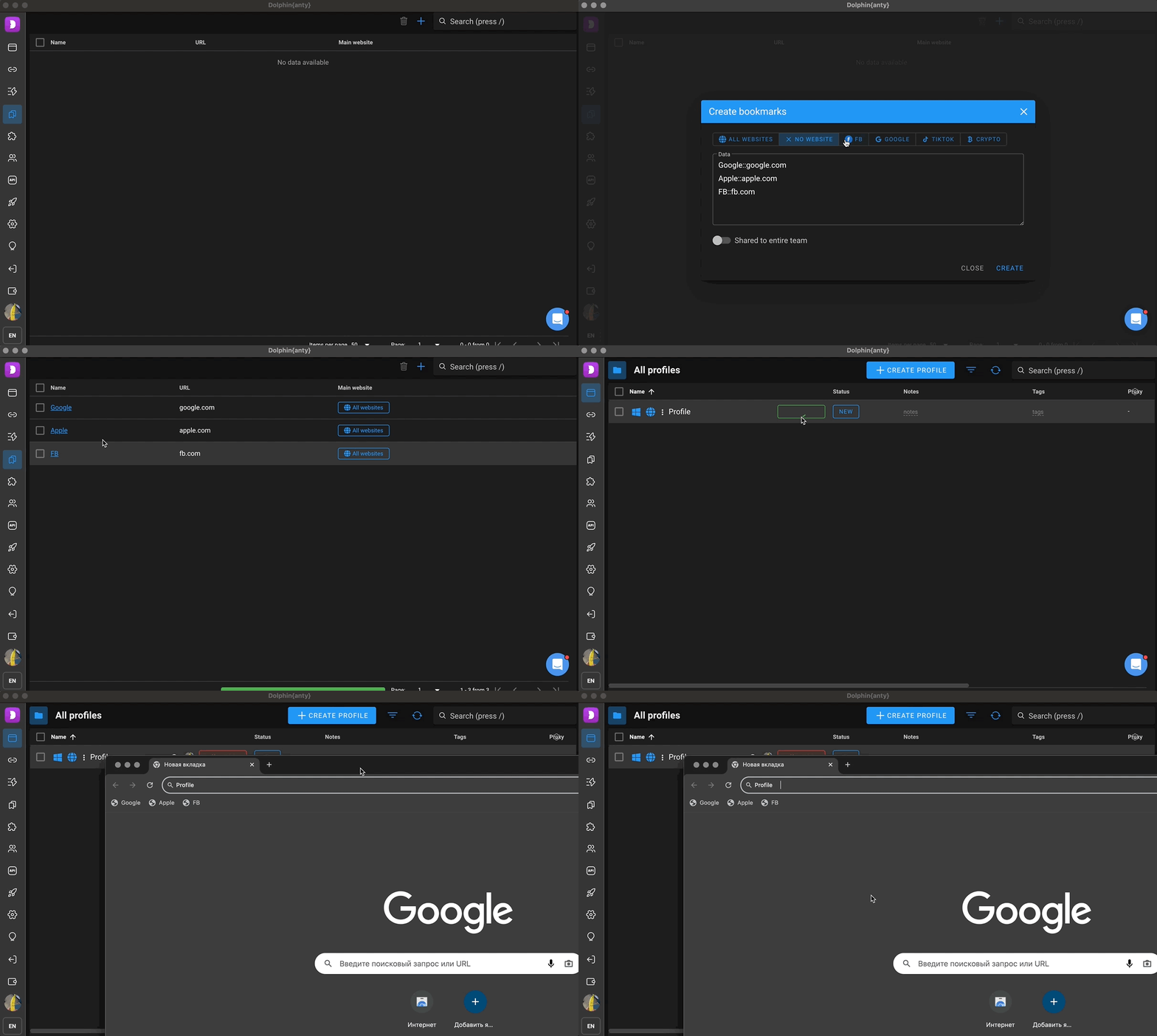
It's worth noting that you can add multiple bookmarks at once in a single window by entering each one on a new line:
Google::google.com
Apple::apple.com
FB::fb.com
- Once you click "Create," the bookmarks will appear in the general list and will be added to browser profiles of the selected type.
- You can see them by opening the profile.
Was this page helpful?