
ResiProx proxies - how they work with Dolphin {anty}
ResiProx
What and why ? 🤔
The “Get free proxies” button appears on the screen of the proxy list on the right-top right, after clicking on it you can choose one of our partners. Let's consider the option of integration with ResiProx proxy store.

With this integration you can connect ResiProx proxies without leaving the Dolphin{anty} app, or buy them from the balance of your store account right in the same window. 👍🏻
How to use ? ⚡️
First you need to open the “Proxies” section through the left menu in antique, then find the “Get Free Proxies” button
Next, a window will open where you can see information about creating an account in the ResiProx service. After that, instructions from ResiProx and generated password will be sent to the mail that is registered for this Dolphin{anty} account. Using the data from the email you can enter your personal cabinet on the service's website. It also shows how many gigabytes of traffic are given for free according to the plan 😉
- Starter - 1 GB traffic
- Base - 8 GB traffic
- Team - 12 GB traffic
- Enterprise - 20 GB traffic
You need to click “Get Proxy” on the right-bottom to continue ✅
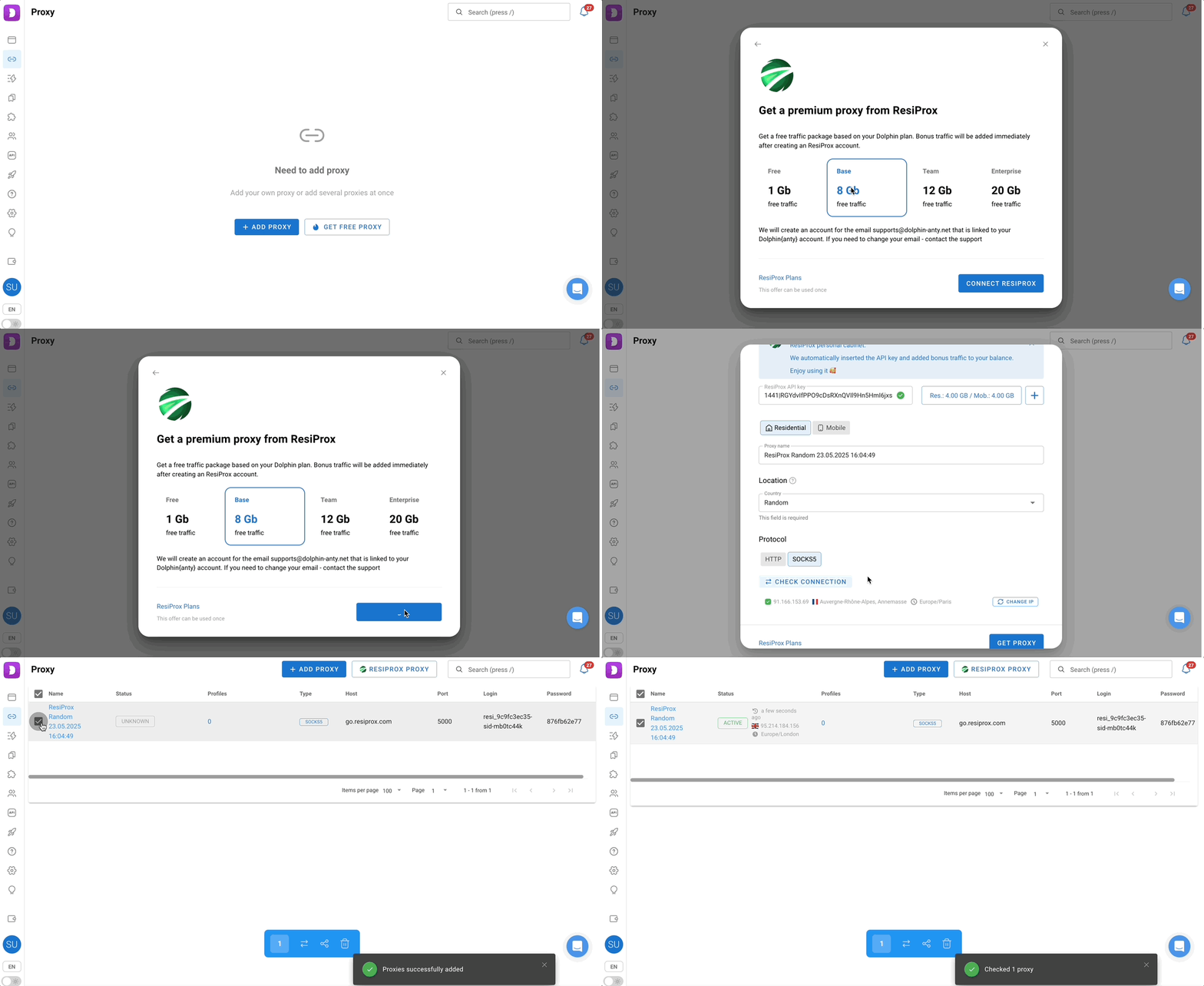
Point by point what the elements are responsible for and how to use them ⬇️
Important information ❗️
This integration is needed to make it easier to add/use proxies without leaving or minimizing the Antic, but Dolphin{anty} itself does not regulate and is not responsible for the connection and operation of the proxies themselves.
If you encounter any problems with proxies, or connecting your account by API-key, you should contact ResiProx support via the website 🌐