
ASocks proxies - how do they work with Dolphin {Anty}
ASocks
What and why ? 🤔
A “Get free proxies” button has appeared in the top right corner of the proxy list screen. After clicking it, users can choose one of our partners. Let’s consider the option of integrating with the ASocks proxy store.

With the help of this integration you can connect proxies that were purchased in Asocks or buy them from the balance right in the same window without leaving Dolphin{anty} application. 👍🏻
How to use ? ⚡️
First you need to open the "Proxies" section via the left menu in Dolphin{anty}, then find the purple "Get Free Proxies" or "Proxy ASocks" button at the top.
Next, a window will open in which you can see information about creating an account in the Asocks service. Login is the mail from Dolphin{anty} account, and the password will come by letter to the same mail. You can use them to enter your personal cabinet on the site of the service. It also shows how many gigabytes of traffic are provided for free according to the plan. 😉
-
Starter - 1.5 GB of traffic
-
Base - 5 GB of traffic
-
Team - 8 GB of traffic
-
Enterprise - 16 GB of traffic
You need to click "Connect ASocks" on the bottom right to continue ✅
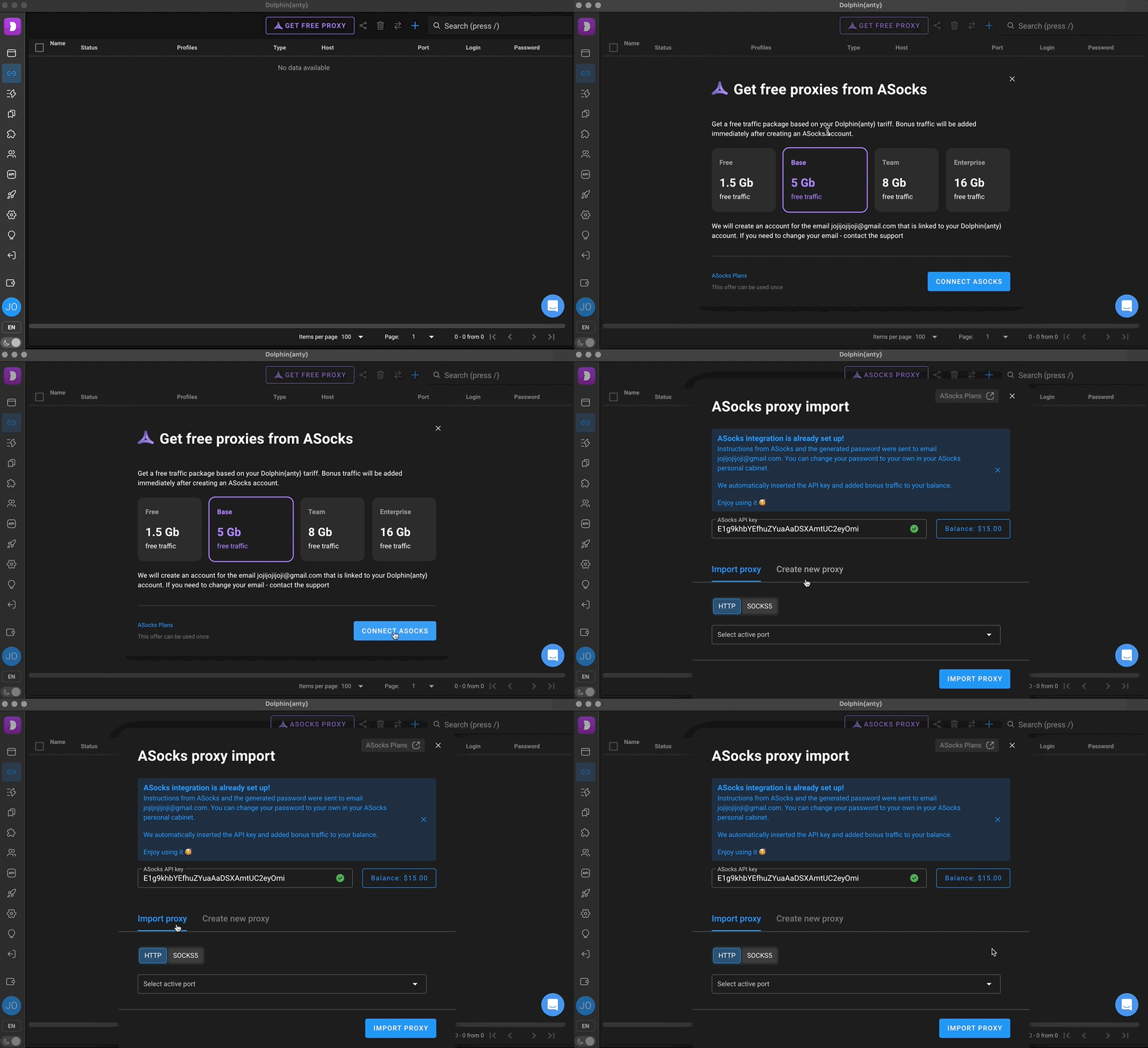
A breakdown of what each element is responsible for and how to use them ⬇️
Important❗️
This integration is designed to simplify the addition and use of proxies without leaving or minimizing the app, but Dolphin{anty} does not control or take responsibility for the connection or operation of the proxies themselves.
If you encounter any issues related to proxies or connecting your account via the API key, you should contact ASocks support via site 🌐 or telegram ✉️