
How to create an API token for working with Dolphin {Anty}
Dolphin{anty} can be integrated with other software using its API to automate various processes through scripts. For detailed information, it is recommended to review the full API documentation or a ready-made example of profile creation.
In your Dolphin{anty} account personal area, you can create or delete a token, as well as set its expiration period.
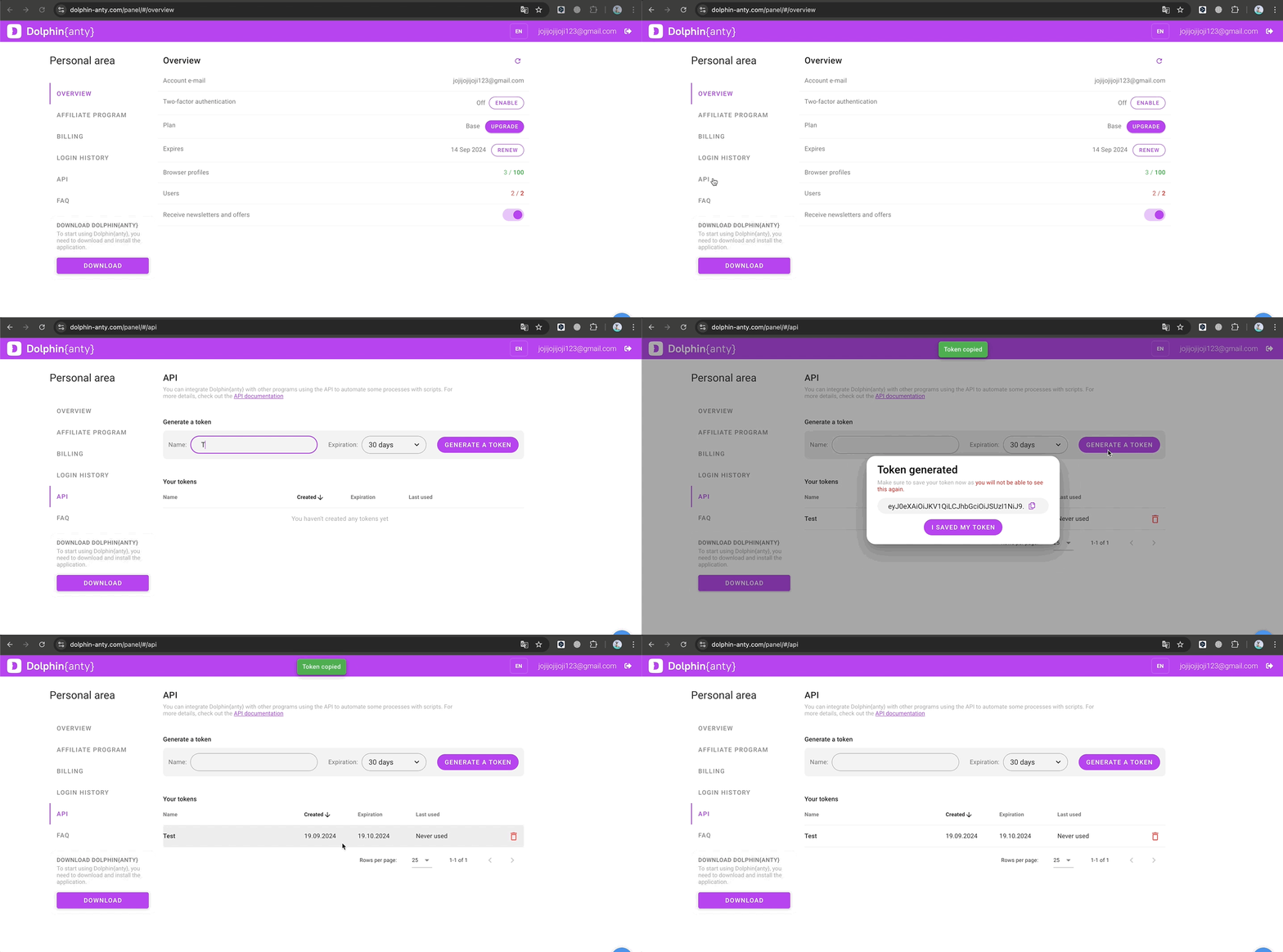
API token creation process ⬇️
- Go to the site dolphin-anty.com
- Click on "Login" (or "Personal area" if you have already logged in)
- Go to the "API" section in the left menu
- Choose a name for the token and its expiration date
- Click generate token and save it to a safe place 🧐
ℹ️ Important!
- The token is shown only once when it is generated and cannot be viewed again, so it’s best to save it right away 😉
- Without a valid and correct token, requests will not work.
Was this page helpful?